McKinsey Redrock: A Simple Step-by-Step Guide (with Screenshots)
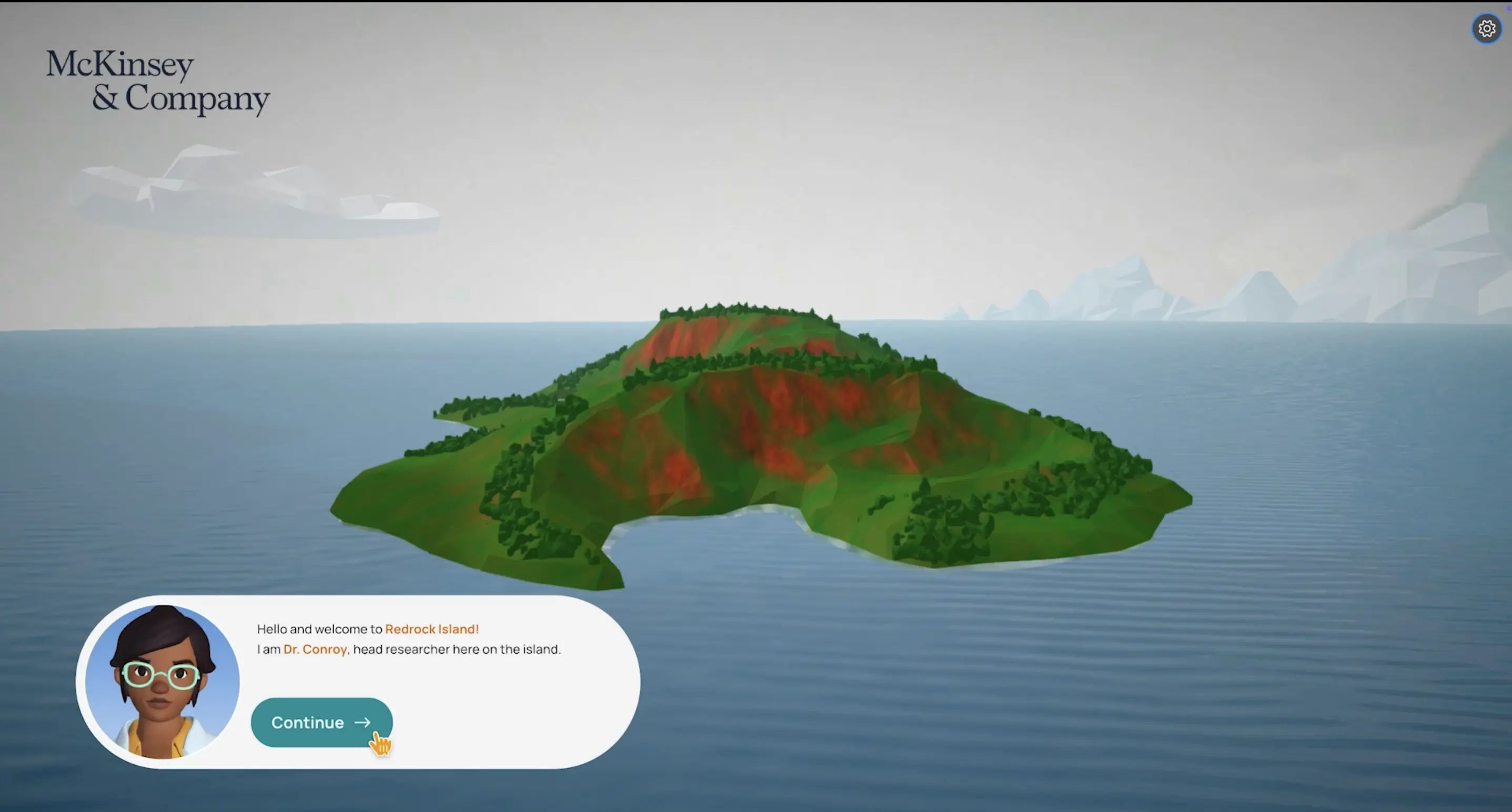
Redrock is the maths-based case study in the McKinsey Solve assessment. This guide shows you what it looks like, what happens in each section, and what to do, one step at a time.
About the screenshots. Every screenshot here is from our Redrock simulator. Log in to try a free case.
What is Redrock?
Redrock usually comes with Sea Wolf, and sometimes with the Sustainable Futures Lab. Your invitation email tells you which games you have and the total time.
- Time: 35 minutes on one timer, in one sitting.
- Questions: about 3 Analysis questions, then 6 short Cases questions.
- Tools: a calculator and a research journal, both on screen.
- Maths: school level. Percentages, totals, averages and simple probability.
What makes it hard: not the maths, but doing simple maths accurately, fast, on a screen you have never used.
What happens during Redrock?
The game has four sections, always in this order.
| Section | What you do |
|---|---|
| Investigation | Read a short case and save the numbers you need |
| Analysis | Use those numbers to answer a few calculations |
| Report | Turn your answers into a short summary and a chart |
| Cases | Answer six quick, separate maths questions |
As a rough guide, spend 10 to 14 minutes on Investigation and Analysis together, 4 to 6 minutes on the Report and 14 to 18 minutes on the Cases. The real test has one 35-minute clock, not a timer per section.
The one rule to remember: once the Report starts, you cannot go back to the case.
How to do Redrock, step by step
Step 1: Investigation
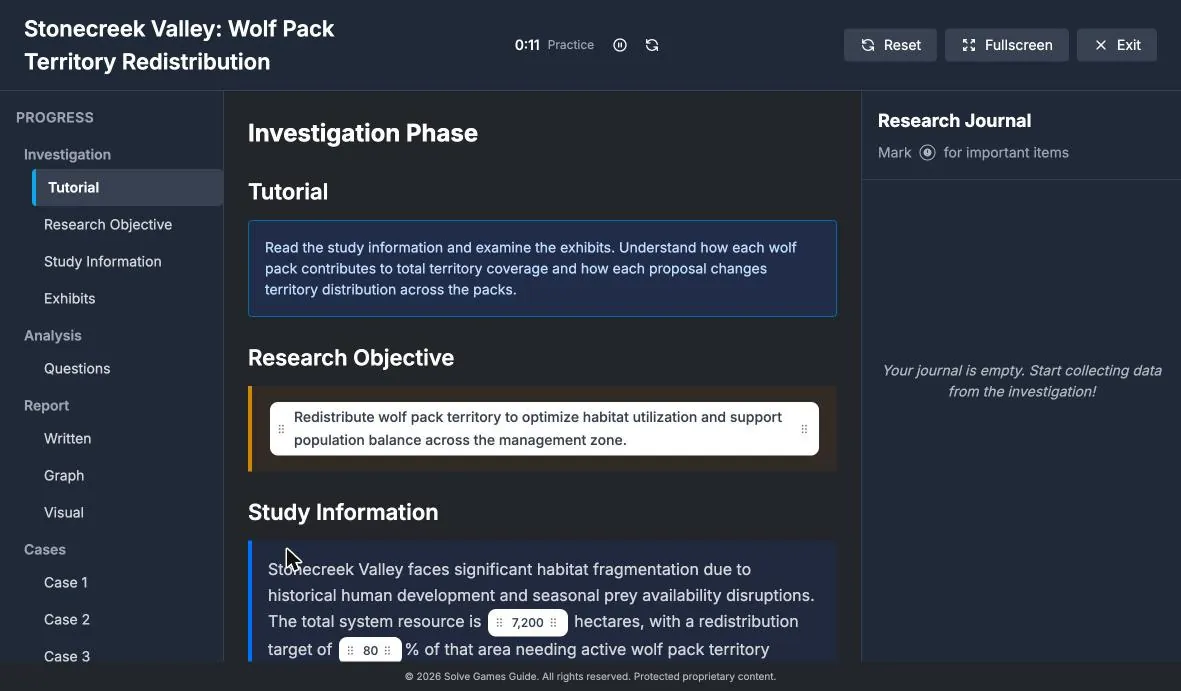
You get a scenario about wildlife on an island, plus tables or charts called exhibits. Your job is to find the numbers that matter and save them.
What to do:
- Start with the research objective. It tells you what every question is building towards.
- Read the study information once. Look for a total, a target and what each option changes.
- Numbers you can save show up as small white tags.
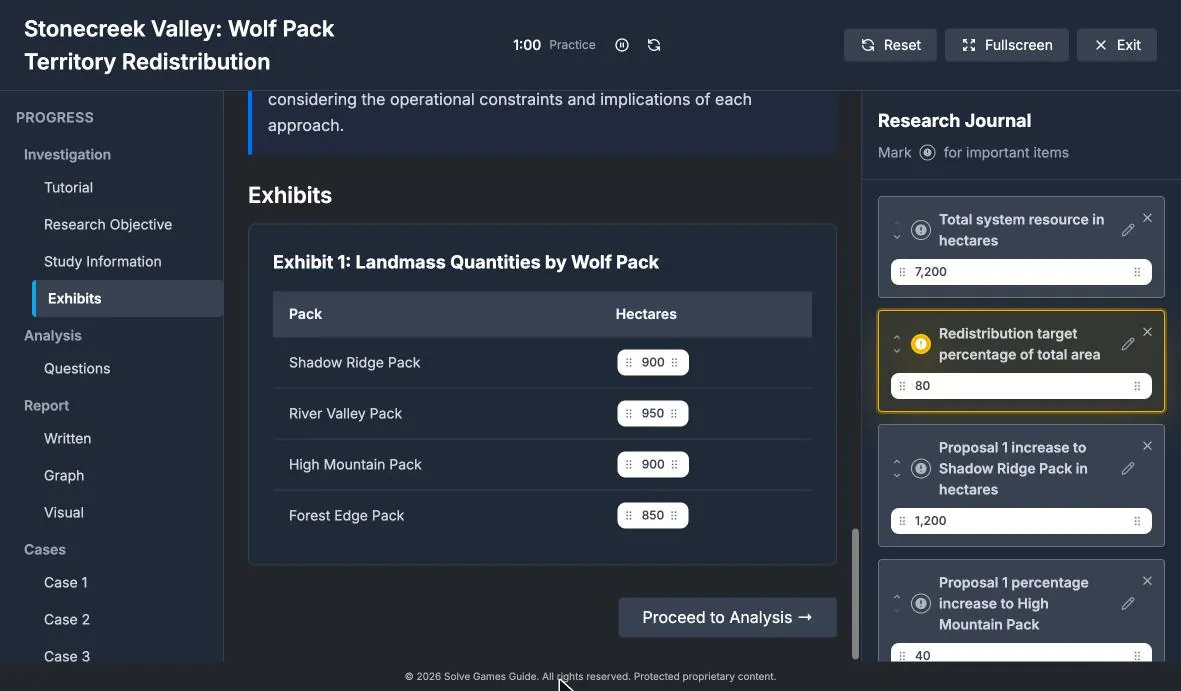
Then save what you need:
- Drag each number you need into the journal.
- Give it a clear label, so you can find it in a second.
- Mark the most important ones, such as the total and the target.
- Check the exhibits too. They often hold the starting values.
Watch out: anything not in your journal is gone once the Report starts. Save numbers generously.
Step 2: Analysis
You answer about three questions using the numbers you saved. Each answer box tells you the unit.
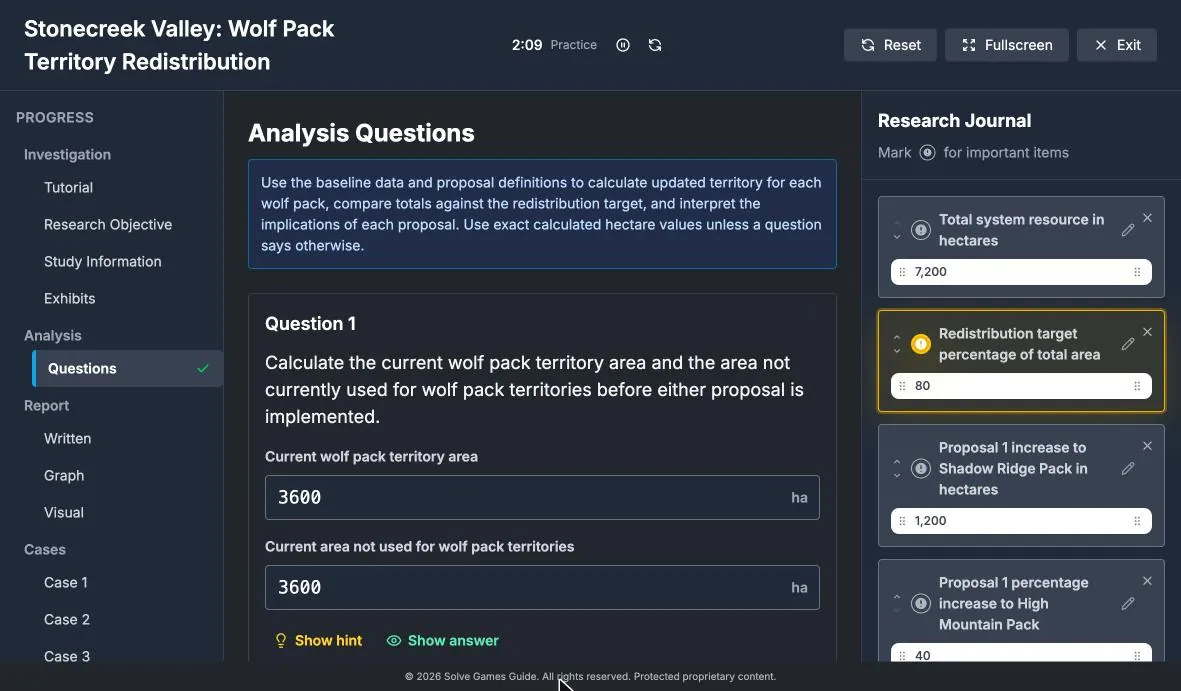
What to do:
- Read exactly what is asked: which group, which option, which unit.
- Find the numbers in your journal.
- Answer in order. Later questions often build on earlier ones.
Example: four packs hold 900 + 950 + 900 + 850 = 3,600 hectares. The valley is 7,200, so 3,600 is unused.
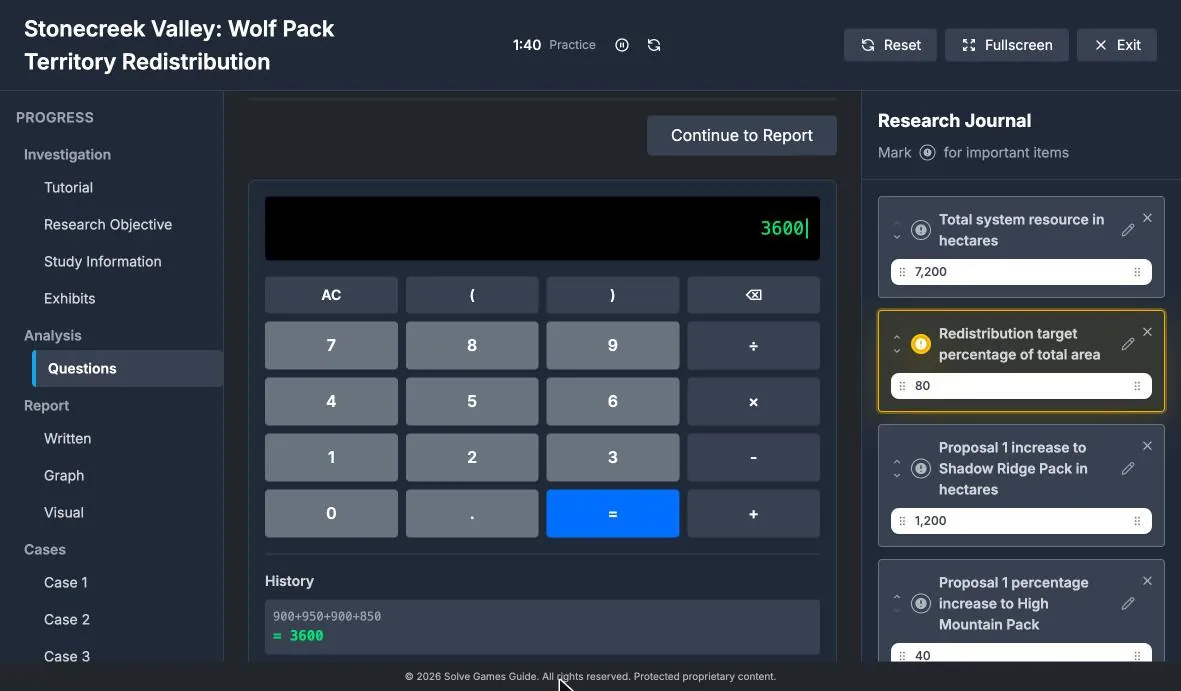
Use the calculator well:
- Estimate the answer in your head first.
- Type the full sum into the calculator.
- Check the history line matches your journal numbers.
- If the result is far from your estimate, retype it.
Watch out: in the real test, Analysis questions may come one at a time with no going back. Treat every answer as final.
Step 3: Report
You turn your Analysis answers into a short written summary and a chart. It has three parts.
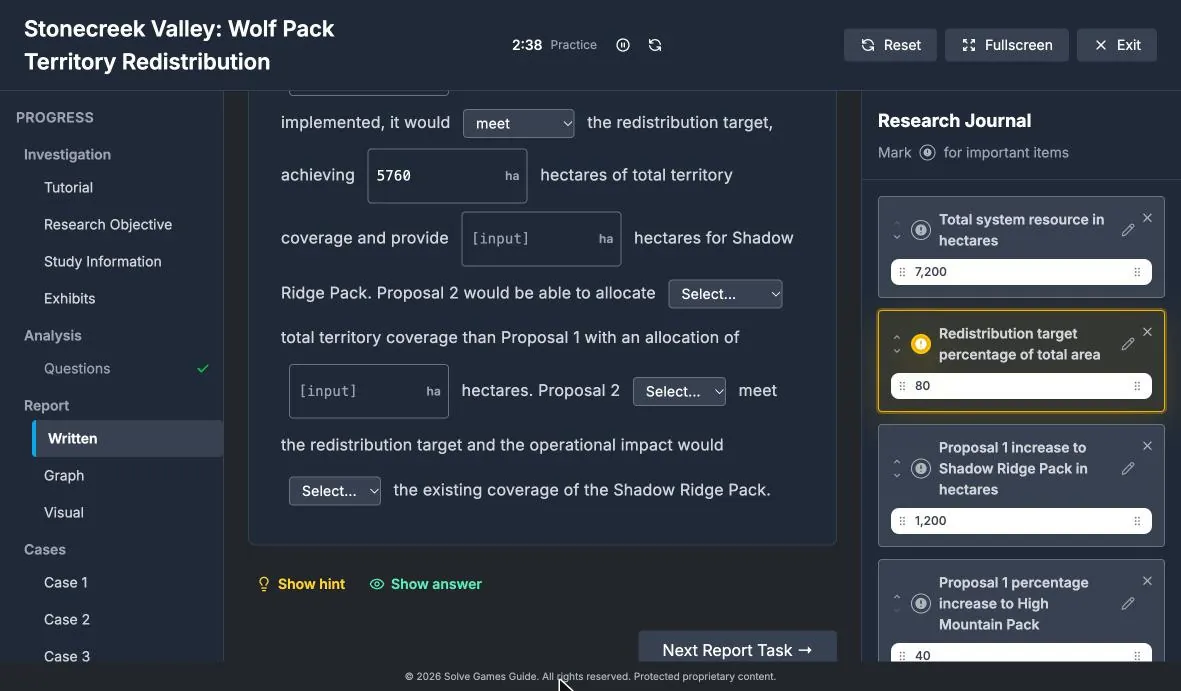
| Part | What you do |
|---|---|
| Written | Fill the gaps with a number or a word |
| Graph | Choose the right chart type |
| Visual | Enter the values that build the chart |
What to do:
- Reuse your Analysis answers in the written part. Don’t recalculate.
- Check every word choice, such as “meets” or “falls short of” the target.
- Read each sentence back. If it sounds wrong, a gap is wrong.
- Pick the chart that matches the comparison (see the table below).
- Copy values into the table, then check the chart looks as expected.
| Chart | Use it for |
|---|---|
| Bar | Comparing groups |
| Line | Change over time |
| Pie | Parts of one whole |
Step 4: Cases
Six short questions to finish. Each has its own small table or chart and has nothing to do with the main case.
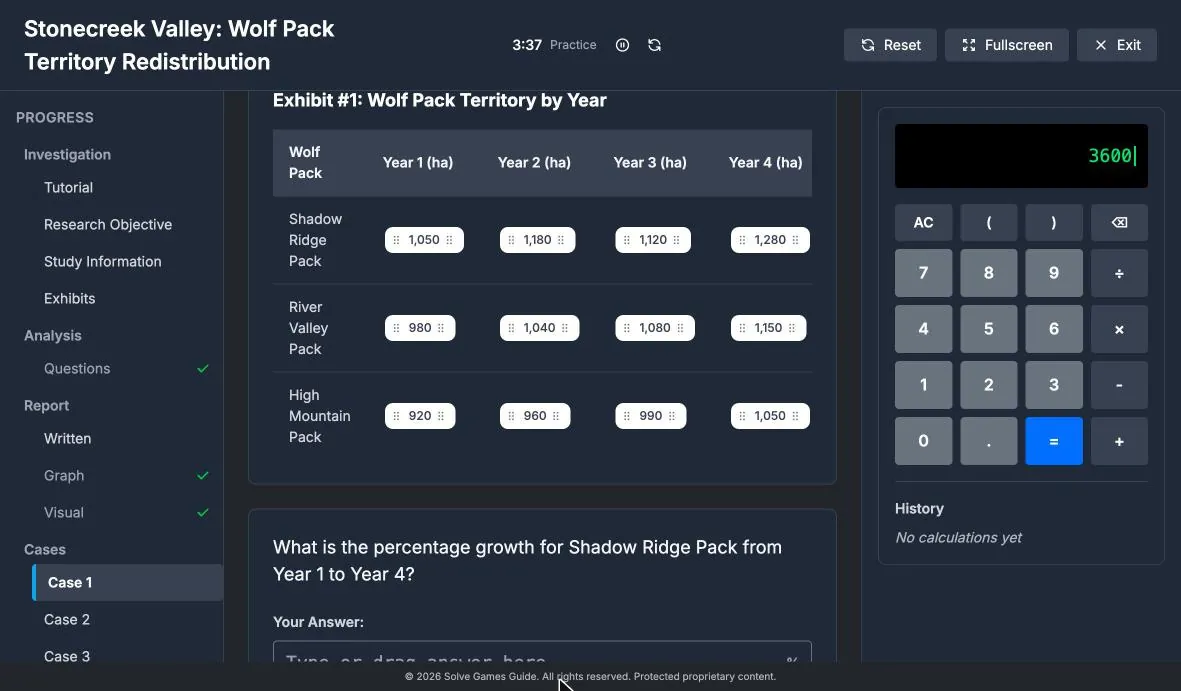
What to do:
- Read each question as if it is brand new.
- Spend about 2 to 3 minutes on each, then move on.
- Never leave a blank. A guess can score; a blank cannot.
Example: growth from 1,050 to 1,280 is (1,280 − 1,050) ÷ 1,050 = 21.9%.
Watch out: a question can change one number just for itself. The next question may go back to the original. Re-read every time.
What Redrock tests
| Skill | What it means |
|---|---|
| Picking the right data | Spotting which numbers matter and ignoring the rest |
| Percentages and ratios | Increases, decreases, percentage change and working backwards |
| Reading tables and charts | Pulling the right value out quickly and correctly |
| Saying what the numbers mean | Turning results into a clear sentence and the right chart |
| Working against the clock | Keeping a steady pace so you reach all six Cases |
| Checking your own work | Catching a wrong unit or a typo before you submit |
Maths worth refreshing:
- A 15% rise is × 1.15, and a 15% fall is × 0.85.
- Two 10% rises make 21%, not 20%.
- The median is the middle value of the sorted data, not the middle of a chart’s axis.
Quick checklist
- The maths is simple. Accuracy and pace are what count.
- Save numbers early. The case disappears once the Report starts.
- Read the unit every time: hectares, percent, total or share.
- Estimate, calculate, check. Three seconds of checking saves a lost mark.
- Reuse your answers. The Report is built from your Analysis.
- Never leave a blank. Make your best guess and keep moving.
- Practise the screen, not just the maths. The interface is the part that surprises people.
Practise it
The quickest way to feel ready is to play one full case. Our Redrock simulator has a free case. Log in, try it in Practice mode with no timer, then play the next one against the full 35-minute clock.
Want more detail? Read the complete McKinsey Redrock guide or our Redrock calculator tips.
Was this useful?
Thanks for the feedback.
Get our latest McKinsey Solve guidance in Google's answers
Add Solve Games Guide as a preferred source so that Google's AI uses our most up-to-date information when you ask questions about McKinsey Solve.
Ready to Practice?
Get unlimited access to our McKinsey Solve Game simulators and master every scenario with realistic practice.